
Free, no signup
AI quiz maker for your class
Type a subject and unit, or paste your own questions. The AI quiz generator makes a quiz your students take on their phones.
Your quiz
Convika's AI writes each question, its answer choices, and a short explanation. Try the quiz on your phone right away, no account needed.
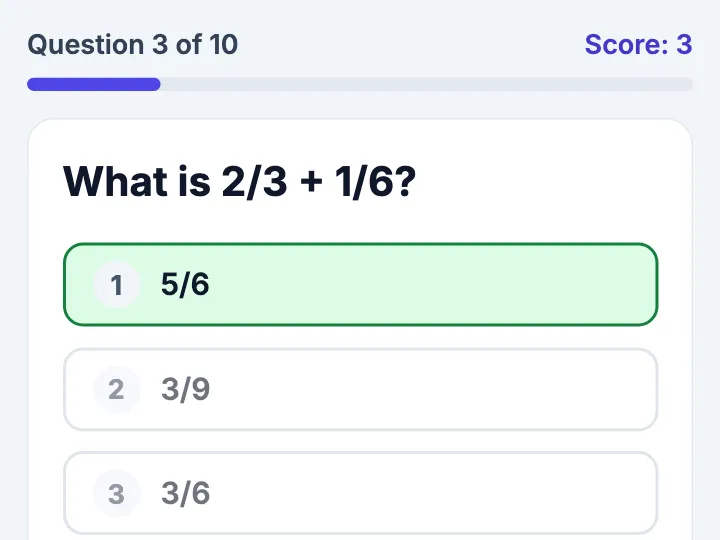
How the AI quiz maker works
1
Type the unit
Write the subject and unit, such as "Grade 7 cell biology, 10 questions", or paste the questions you already have.
2
Get the quiz
In a few minutes the AI makes the quiz. Open it on your phone and answer it the way your students will.
3
Send the link or QR code
Sign up free and publish the quiz. It gets a link and a QR code to post in your class chat or project in the room.
What your students see
- One question a screen, with big answer buttons
- The right answer and a short explanation after every tap
- The score at the end, with the questions to look at again
- A retry of only the questions they missed
- Their best score, saved on their own phone
- No app and no login: the link opens on a phone, a tablet, or a Chromebook
- A page that reads right to left in Arabic, Hebrew, Persian, or Urdu
What you get as the teacher
Keep the quiz in your free account and publish it. Each student's name and score then arrive in the quiz's form entries, so after class your dashboard shows who finished and how they did.
- Each student's name and score, in the quiz's form entries
- One link that stays the same when you change a question
- The quiz's page views and visitors, in your dashboard
Questions about the AI quiz maker
Is the AI quiz maker free?
Yes. Making a quiz here is free and needs no account. To keep the quiz and publish it as a link, sign up for a free Convika account. Publishing on the Free plan is free.
Do I see my students' scores?
Yes. Sign up free, keep the quiz in your account, and publish it. Each student's name and score then arrive in the quiz's form entries in your dashboard.
Do students need to log in?
No. Students open the link on a phone, a tablet, or a Chromebook and start answering. They need no app and no account.
Can I paste my own questions?
Yes. Paste your questions and answers into the box, as many as fit in 1,000 characters, and the AI builds the quiz from them. Type only a subject and unit and the AI writes the questions for you.
Can I make a quiz in another language?
Yes. Write your request in the language your class reads and the whole quiz is made in it. In Arabic, Hebrew, Persian, or Urdu, the page reads right to left.
How do I share the quiz in Google Classroom?
Publish the quiz and copy its link. In Google Classroom, open Classwork, choose Create, then Material, click Add, then Link, and paste the link. Students tap it and the quiz opens.
How long does a quiz I make here last?
The quiz opens as a preview for a few minutes, so you can try it at once. Sign up free and the quiz moves into your account, where you publish it at its own link.
Guides for class quizzes
Turn an AI-made quiz or review game into a link your students can open
Ask ChatGPT, Claude, or Gemini for the quiz as one HTML file, publish it free, and give students a link or a QR code with no student accounts.
Put an AI-made quiz on your students' iPads: one link or QR code, no app, no login
An .html quiz sent to iPads by AirDrop or email opens in a preview that may not run it. Publish it once and give students a link or a QR code instead.
QR code quiz: put an AI-made quiz or worksheet behind a QR code
Publish a ChatGPT or Claude quiz once and print its QR code, or make a self-check worksheet: one page, one code per question. No student accounts.
Submit an HTML file in Google Classroom so your teacher sees the page
Classroom takes an HTML file, but the teacher gets the file. Hand in a link to the page instead. Teachers post a game for their class the same way.