
Free, no signup
Flashcard maker: online flashcards with a quiz, free
Type your terms and their answers. Convika's AI makes online flashcards that flip on a tap, with a multiple-choice quiz on the same cards, at one link you share with a class or a study group.
Your flashcards
Convika's AI turns your list into flip cards and a quiz. Try them right away, no account needed.
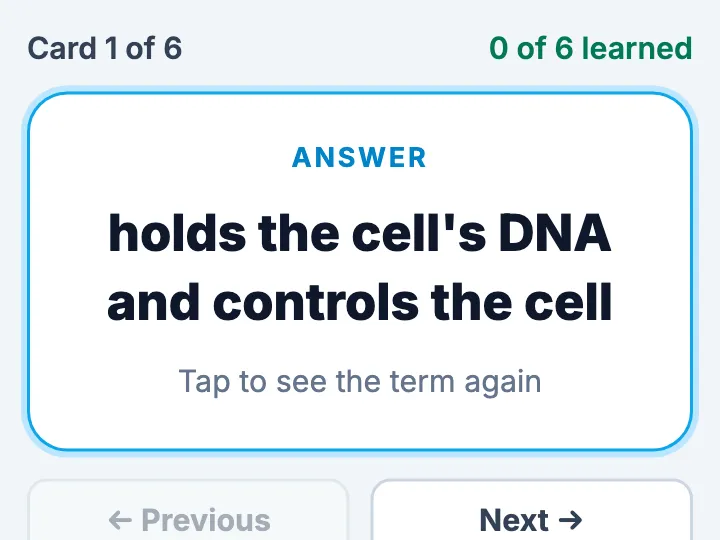
How to make flashcards online
1
Type your cards
Write each card as front / back, one per line, or name the topic and how many cards you want.
2
Get your flashcards
In a few minutes the AI makes the cards and the quiz. Flip through them on your phone.
3
Share one link
Sign up free and publish. Send the link or show its QR code, and everyone studies in their browser.
What your flashcards do
- One card at a time: tap to flip, with previous, next, and shuffle
- "Got it" sets a learned card aside, and the browser remembers it
- A multiple-choice quiz made from the same cards, four choices each
- A score at the end, the list of cards missed, and "Retry the ones I missed"
- Large text and large buttons for Chromebooks, iPads, and phones
- No student names and no logins: opening the link is enough
What Free gives and what Pro adds
On Free, your flashcards are live at their own link, with a QR code in your dashboard for the board or a handout. You see how many people opened them and which buttons they pressed.
Pro takes the Convika bar off your page, keeps 100 pages live at once, and opens a page only to people with its private link or password. Pro starts with a free trial: 7 days free, then $12 a month, cancel any time before it ends.
Frequently asked questions
Is the flashcard maker free?
Yes. Making flashcards here is free and needs no account. To keep them, sign up for a free Convika account and publish them on the Free plan.
How do I share flashcards with my class?
Publish them and send the link, or show the QR code from your dashboard on the board. Students open it in a browser on a Chromebook, an iPad, or a phone, with no app and no account.
Can the AI write the cards for me?
Yes. Name the topic and the number of cards, such as "Spanish verbs, 20 cards", and the AI writes both sides. Cards you write yourself go in as you wrote them.
Where is a student's progress kept?
In the browser that student uses. The page asks for no names and no logins, so a class starts studying the moment the link opens.
Can I change the cards later?
Yes. Ask the AI in your dashboard, such as "add these five cards", and publish again. The link stays the same.