What are Claude artifacts? Examples, and how to share or publish one
Quick answer
A Claude artifact is what Claude builds in its own window beside your chat: a document, a one-page website, a dashboard, a diagram, or a small interactive tool. Share it with Claude's Share link, or upload its HTML to Convika for a page on your own domain with a form that keeps entries and visitor stats, free.
Free plan: no credit card, 1 published page, your own domain included.
On this page
- What a Claude artifact is
- How to make a Claude artifact: 3 prompts to start from
- Claude artifact examples you can play
- Share a Claude artifact by link, or publish it as a website
- Publish an artifact on your own domain with a working form
- Download a Claude artifact as an HTML file
- When Publish or Share doesn't work
- Frequently asked questions
Anthropic's artifacts guide, read on November 16, 2026, puts it in one line: “An artifact is anything Claude makes for you that you'd put in front of someone.” You ask for one in a chat, and it opens in its own window beside the conversation. Then you change it by asking Claude, and share it when it's ready.
What a Claude artifact is
The guide says Claude “can make an artifact out of almost anything, including documents, code snippets, single-page websites”, and names images, diagrams and flowcharts, dashboards, and small interactive tools too. Artifacts are on every plan: Free, Pro, Max, Ultra, Team, and Enterprise, and in Claude Code. They need code execution and file creation turned on, under Settings > Capabilities (Organization settings > Capabilities on Team and Enterprise).
You start one in either of 2 ways: ask for it in any chat, or select Output in the message box and choose a template. What you can take out of Claude depends on which:
- A page, a tool, a quiz, or a game: ask in the chat. To take it out, ask Claude for the page as one HTML file (how).
- A landing page or a one-pager: the Design template. Export it as a .zip, PDF, PowerPoint, or standalone HTML (publish it).
- A document: the Docs template. Export it as Word, PDF, Markdown, or Google Docs.
- A slide deck: the Slides template. Export it as PowerPoint or PDF, or send it to Google Slides.
- A page from your code: ask Claude Code. You get an HTML or Markdown file, and a link (deploy it).
Docs, Slides, and Design are on all plans. Data, Sheets (beta), and Whiteboards (beta) are on Pro and above, and Motion (beta), which exports animations as MP4, on Team and Enterprise. Artifacts made in a chat before September 16, 2026 are legacy artifacts: they keep working and can still be published and shared, and new ones can't be made.
How to make a Claude artifact: 3 prompts to start from
Say what the artifact is, who uses it, and what each button does. If you plan to put it online, ask for one HTML file from the start.
A tool that works on a phone:
Make a tip calculator as an artifact.
Inputs: bill amount, tip percent, and number of people.
Show the tip, the total, and each person's share.
Make it easy to use on a phone screen.
A study set:
Make flashcards from the words below as an artifact.
Tap a card to flip it.
After the cards, give a 10-question multiple-choice quiz
and show the score at the end.
[paste your words, one per line, as front / back]
A page you'll publish with a signup form:
Make a one-page site for our bakery's opening:
headline, date, address, a short menu with prices, and an email signup.
Put <div data-convika-form></div> where the signup form goes.
Write it as one HTML file with the CSS and JavaScript inside.
The data-convika-form line marks where Convika puts a working form when you publish (step 5 below). To change any artifact, keep asking in the same chat: “Make the buttons bigger,” “Add a dark mode,” “Put the score in the page title.”
Claude artifact examples you can play
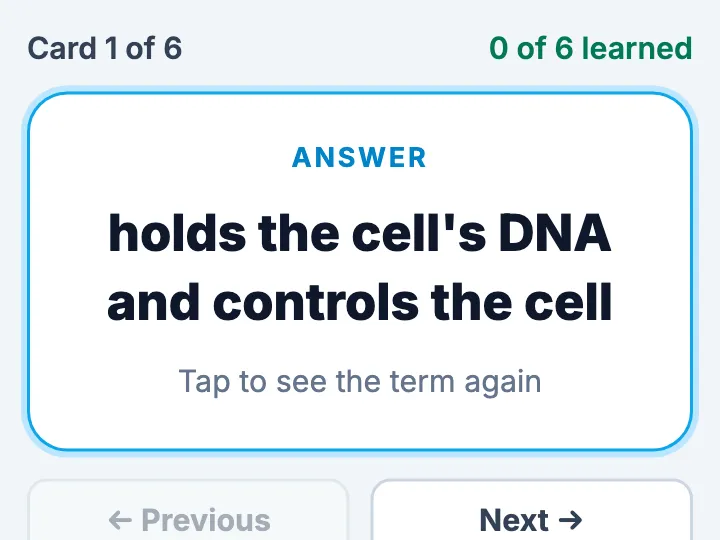
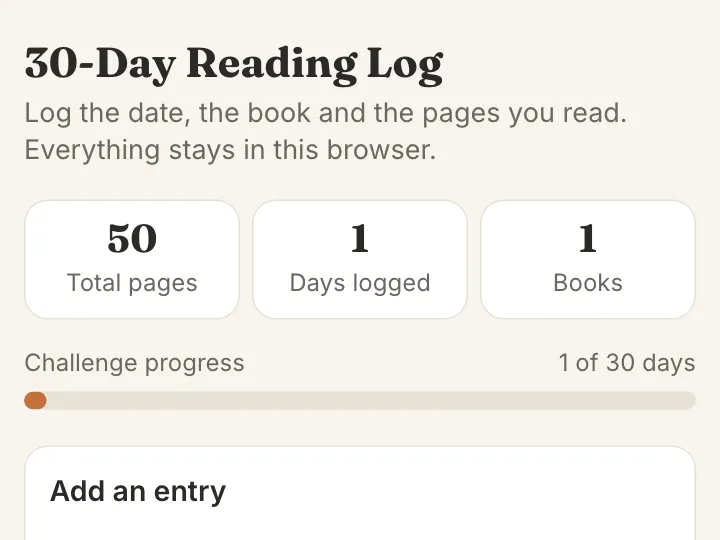
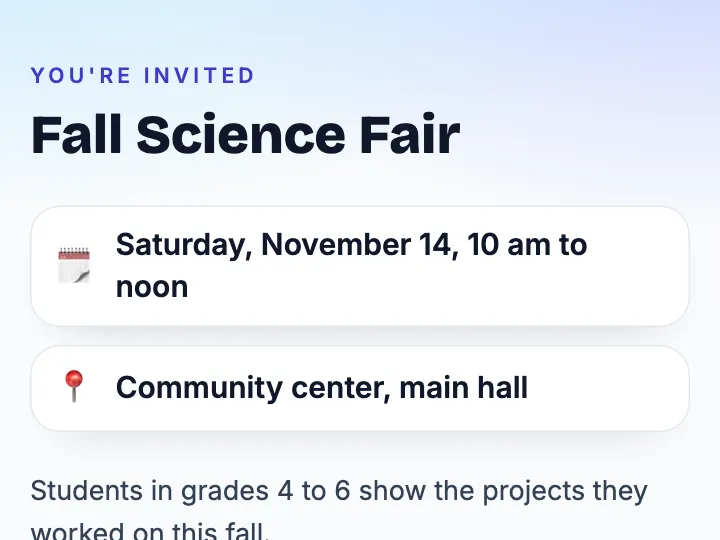
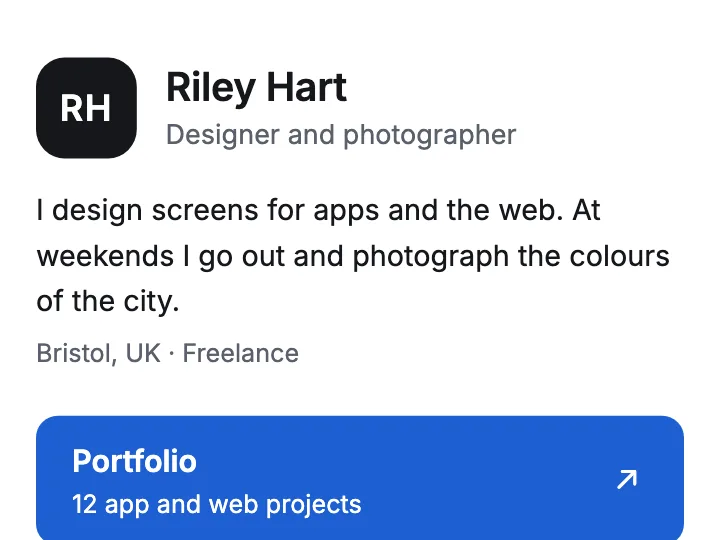
These are live pages of the kinds people ask Claude for, each one a Convika template. Press Try the example to play it right here. Open the template shows the instructions to paste into Claude for your own version, written as one HTML file.
More to open and play:
- Quiz battle: a timed four-choice quiz where fast answers score more, and players share their score.
- Science or math simulation: sliders students move to watch what changes.
- Personality test: a few questions, a result type, and a link to share it.
- Memory match: cards players flip to find the matching pairs.
- Quote calculator: a quote from your price table, options, minimum order, and tax.
Every template is on the templates page.
Share a Claude artifact by link, or publish it as a website
Claude's Share link keeps the artifact on claude.ai. Publishing its HTML puts it at an address you choose, with the parts a public page needs: a form that keeps entries, visitor stats, and your own domain.
| Way | Your own domain | Form entries kept | Visitor stats | Who can open it |
|---|---|---|---|---|
| Convika | Yes, on Free | Yes: saved in your dashboard, emailed to you, exported as CSV or JSON; 50 a month shown on Free | Visits, referrers, devices, countries, and clicks; 90 days on Free | Anyone with the address; a private link or a password on Pro |
| Claude's Share link | No, a claude.ai link | No: people outside your organization can read what it saves once signed in, and can't change it | Not in Anthropic's sharing guide | Most artifacts: anyone with the link, on Pro and above (Team and Enterprise once an Owner turns on External sharing) |
| GitHub Pages | Yes | No: GitHub calls it “a static site hosting service” | Not in GitHub's Pages docs | Anyone with the address |
| Netlify Drop | Yes: Free lists “Custom domains with SSL” | Yes, once you turn on form detection and add the netlify attribute to the form | Not listed on the Free plan | Anyone, unless your team starts new projects private |
A new version goes to the same address on all 3 hosts: on Convika, click Upload as a new version, then Publish v2 at the same link; on GitHub Pages, push the change; on Netlify, drag the updated folder onto the project's Deploys page.
Read on November 16, 2026: Anthropic's sharing guide, GitHub's About GitHub Pages, and Netlify's deploy docs, form setup, and pricing.
On Claude Free, a new artifact has no link to share, so publishing its HTML is the way to send it. On a paid plan, Claude's link shows a draft to a friend; a launch, a class, or a client gets a page at your own address. Share a Claude artifact by link, or publish it as a website walks through both, plan by plan, with what happens to saved data and scores.
Publish an artifact on your own domain with a working form
These steps take any artifact whose HTML you can get, from any Claude plan.
1. Get the artifact as one HTML file
In the same chat, ask: “Give me this artifact as one complete HTML file, with the CSS and JavaScript inside. Replace the form with <div data-convika-form></div>.” For a Design artifact, click Export, then Export as standalone HTML, and upload that file as it is.
2. Drop it into the upload box
Drop the file into the upload box, or paste the code. You get a preview link in seconds, without an account. It works for 3 minutes, with scripts and forms off.
3. Keep the page
Click Keep this page — free, no card and sign up. The page moves into your account, where its scripts run.
4. Publish it
Click Publish page. Under Who can open this page?, choose Public and click Next. The first time, click Publish free. The page is live at an address like yourpage.convika.page, with the Convika bar at its foot.
5. Add the form and your domain
On the page's screen, click Add a form to my page, choose the fields, check the new version, and publish it. Entries land under Forms, and Convika emails each one to you. Then click Connect my domain under Custom domain, enter a name such as www.yourbrand.com, add the CNAME and TXT records Convika shows at your domain's registrar, and click Check status.
To have Claude do these steps for you, connect Convika once: in Claude, go to Customize → Connectors, click + Add, choose Add custom connector, and enter https://mcp.convika.com. Then say “Save this page to Convika and give me a preview link,” and later “Publish it.” Let Claude publish and edit the page for you has the rest.
Download a Claude artifact as an HTML file
What you can save depends on how the artifact was made. A Design artifact exports standalone HTML. A legacy artifact's panel has controls to view, copy, and download its code. For a chat artifact made today, ask Claude for the page as one HTML file and save the code with a name ending in .html. How to download a Claude artifact as an HTML file has the prompt and a table for each kind.
To open the file, double-click it on a computer. On a phone, choose it in the free HTML viewer, which runs it in your browser without uploading it. How to open an HTML file has the steps for each device.
When Publish or Share doesn't work
- There's no Publish button. New artifacts have Share. Publish is on legacy artifacts made in a chat before September 16, 2026. Why there's no Publish button, and why an artifact won't share
- Anyone with the link is greyed out. Claude Free has no link for new artifacts, and on Team and Enterprise an Owner turns on External sharing first. Publish the HTML instead, in the 5 steps above.
- The link asks people to sign in. Docs open only for people signed in to Claude, and some artifacts show part or all of their content only after sign-in, per Anthropic's sharing guide. A published page opens for anyone.
- “This browser isn't supported. Update iOS to open this artifact.” Claude won't open the artifact in that browser. Update iOS or the browser, or open the artifact's HTML file instead. What the message means and 4 ways to open it
- Students can't sign in to Claude. Share what you built in Claude with students gives the class one link and a QR code.
- You'd rather send a file. How to share an HTML file from Claude compares a file with a link, and how each opens on a phone.
Skipbox
Cheap & fast GitHub Actions runners, unlimited for $39 a month
Your own machine keeps Docker layers and package caches between jobs. Switch by changing one runs-on line.
Start a free Skipbox trialFrequently asked questions
What is a Claude artifact?
A Claude artifact is something Claude builds for you in its own window beside the chat: a document, a code snippet, a single-page website, an image, a diagram, a dashboard, or a small interactive tool. Anthropic's artifacts guide defines it as “anything Claude makes for you that you'd put in front of someone.” You change it by asking Claude, and you can share it, export it, or publish its HTML as a website.
How do I turn on artifacts in Claude?
Turn on code execution and file creation under Settings > Capabilities, or Organization settings > Capabilities on Team and Enterprise, per Anthropic's artifacts guide. Then ask for an artifact in any chat, or select Output in the message box and choose a template such as Docs, Slides, or Design.
Are Claude artifacts free?
Yes, making artifacts is on every Claude plan, Free included. Sharing a new artifact by link takes Pro, Max, or Ultra, or Team and Enterprise once an Owner turns on External sharing. To share one from Claude Free, upload its HTML to Convika and publish it free: anyone opens the link, with no account.
Can I share a Claude artifact without an account?
Yes. Anthropic's sharing guide says “Most artifacts shared with ‘Anyone with the link’ open without a Claude account or sign-in,” on Pro, Max, and Ultra, and on Team and Enterprise once an Owner turns on External sharing. Docs still need a sign-in. A page you publish on Convika opens for anyone, with no account of any kind.
Can I use my own domain for a Claude artifact?
Not inside Claude: a shared artifact stays on a claude.ai link. Publish its HTML on a host that takes custom domains. Convika's Free plan connects your own domain, such as www.yourbrand.com, with a CNAME and a TXT record, and issues the SSL certificate for you.
Do forms in a Claude artifact work?
Inside Claude, an artifact can save what people type, but per Anthropic's sharing guide, people outside your organization can't change what it saves, and people who aren't signed in can't see it. So a signup form on a shared link collects nothing from the public. Publish the HTML on Convika and click Add a form to my page: entries are saved in your dashboard and emailed to you, 50 a month shown on Free.
Where can I see examples of Claude artifacts?
The examples above play on this page: flashcards, a timer or calculator, an event page with sign-ups, a link page, and 5 more. Each template gives the instructions to paste into Claude for your own version.
Can I edit a Claude artifact after I publish it?
Yes. Ask Claude for the change in the same chat. On Convika, click Upload as a new version on the page's screen and upload the new HTML, check the preview, then click Publish v2 at the same link. The address, the form, and the visitor stats stay the same.
Next step
How to share an HTML file as a link that opens on any phone
Upload the file to a host and send its link; email and Google Drive send the code. 8 hosts compared, from Convika to Netlify Drop, with 4 steps.
Related articles
- How to publish a Claude artifact as a real website on your own domainClaude's Share link keeps an artifact on claude.ai. Publish its code on Convika for your own domain, a form that keeps signups, and visit stats, free.
- How to download a Claude artifact as an HTML file, and share it as a linkWhat Claude lets you save from each kind of artifact, how to save the code as an .html file, and when to send Claude's own link or a link of your own.
- Why is there no Publish button in Claude, and why won't my artifact share?No Publish button in Claude? New artifacts have Share. Why Anyone with the link is greyed out or a link asks for a login, per Anthropic's help, and the fixes.
- “This browser isn't supported. Update iOS to open this artifact”: what it means and how to open the artifactClaude shows “This browser isn't supported. Update iOS to open this artifact” on older iPhones and browsers. What Anthropic says, and 4 ways to open it.
- Share what you built in Claude with students who can't sign inK-12 students can't have Claude accounts, and a teacher's link opens for them only if an Owner allows outside sharing. Publish your HTML as a free class link.
- How to share an HTML file from Claude so anyone can open itTo share an HTML file from Claude, upload it to Convika and send the link: it opens on any phone, from every Claude plan. Claude's own Share link needs a paid plan.